
Search across case folders
Find names, reference numbers, addresses and phrases inside supported PDFs and Office documents across the folders you choose.
JUSTDOCZ · FOR LAWYERS
A client name, a property address, a clause you have read before. JustDocz helps lawyers find the words inside their documents, even when the filename and folder are long forgotten.
14-day Pro trial · Windows · Your files stay local
THE EVERYDAY PROBLEM
JustDocz began with an advocate’s document collection: years of case files, agreements, court documents and scanned records spread across computers and drives. The details were remembered. The filenames were not. A local content index makes those details useful again, while the source files stay in their existing folders.
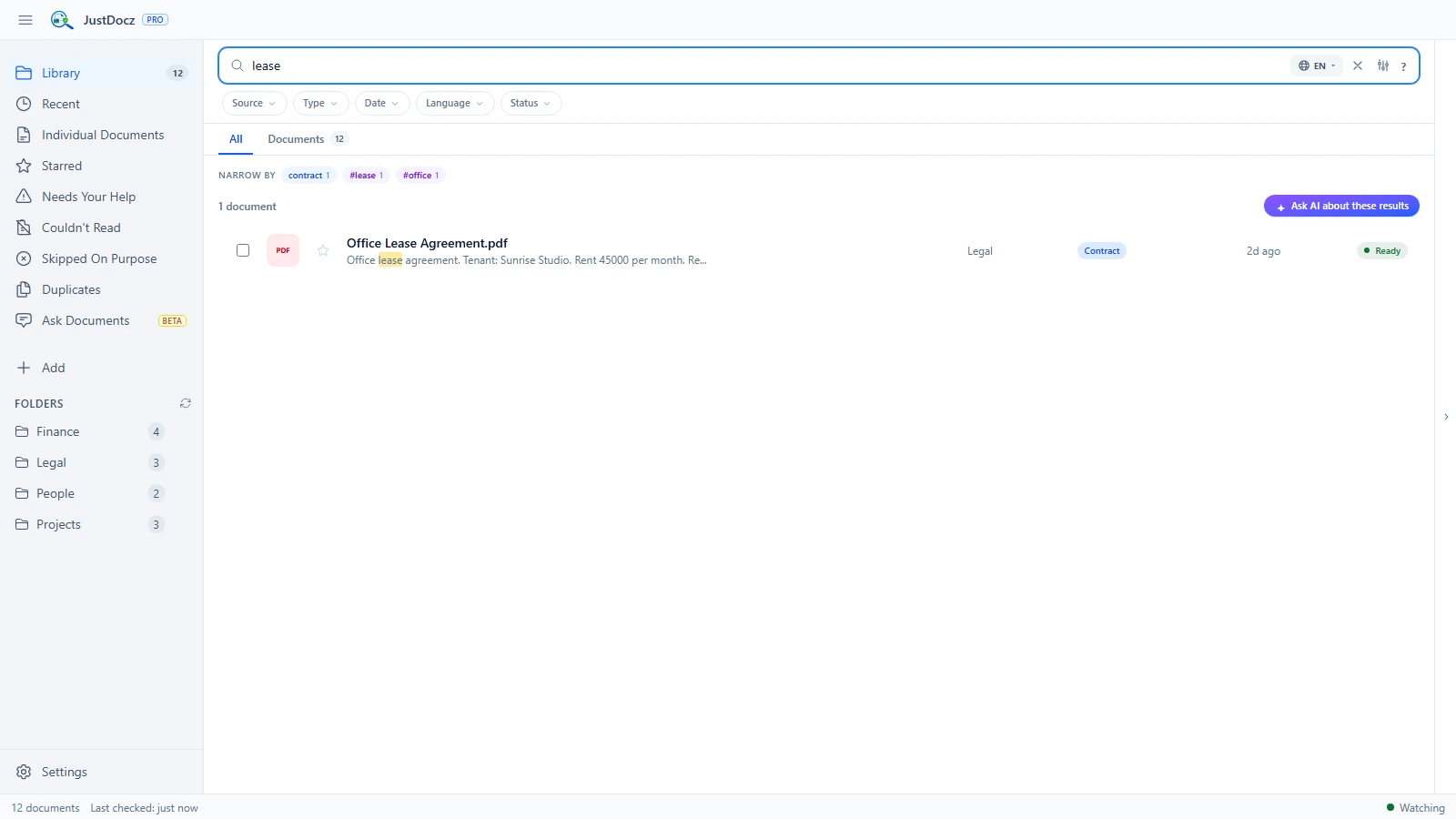
Find names, reference numbers, addresses and phrases inside supported PDFs and Office documents across the folders you choose.
OCR extracts searchable text from supported scans and images, helping you find information inside older records and photographed documents.
Document indexing and search run locally. You do not need to upload client files to a JustDocz cloud service to make them searchable.
FROM FOLDER TO FOUND
Search coverage depends on supported file formats, indexing status and OCR quality. A search result is a way to locate a source document; always check the original record.
Choose a mix of digital documents and scans. Your original files remain where they are.
Filename results can appear before document text and OCR results are ready.
Try a client name, property reference or agreement phrase, then open the matching document to verify it.
GOOD TO KNOW
No. Add the folders you already use. JustDocz creates a separate local index while your original documents remain in place.
JustDocz supports multilingual OCR with downloadable language resources. Test representative documents during the trial: accuracy varies by language, typeface and scan quality.
No. Filename search, content search and OCR work without generative AI. Ask Documents is an optional local AI feature, and any generated answer should be checked against the source.
TRY IT WITH YOUR OWN FILES
Try every Pro feature for 14 days. No credit card or JustDocz account required.