
Look up remembered details
Search words and references inside supported PDFs, spreadsheets and other Office documents. Try the supplier name, invoice number or amount as it appears in the record.
JUSTDOCZ · FOR ACCOUNTANTS
An invoice may be saved under a scan date, a supplier code or a filename that means nothing months later. Search the details inside your financial documents with JustDocz for Windows.
14-day Pro trial · Windows · Your files stay local
THE EVERYDAY PROBLEM
Client folders accumulate invoices, statements, receipts, spreadsheets and correspondence. When a query arrives months later, the useful clue is often a name, amount or reference inside the document. JustDocz brings supported files into one local search index without requiring a new folder structure.
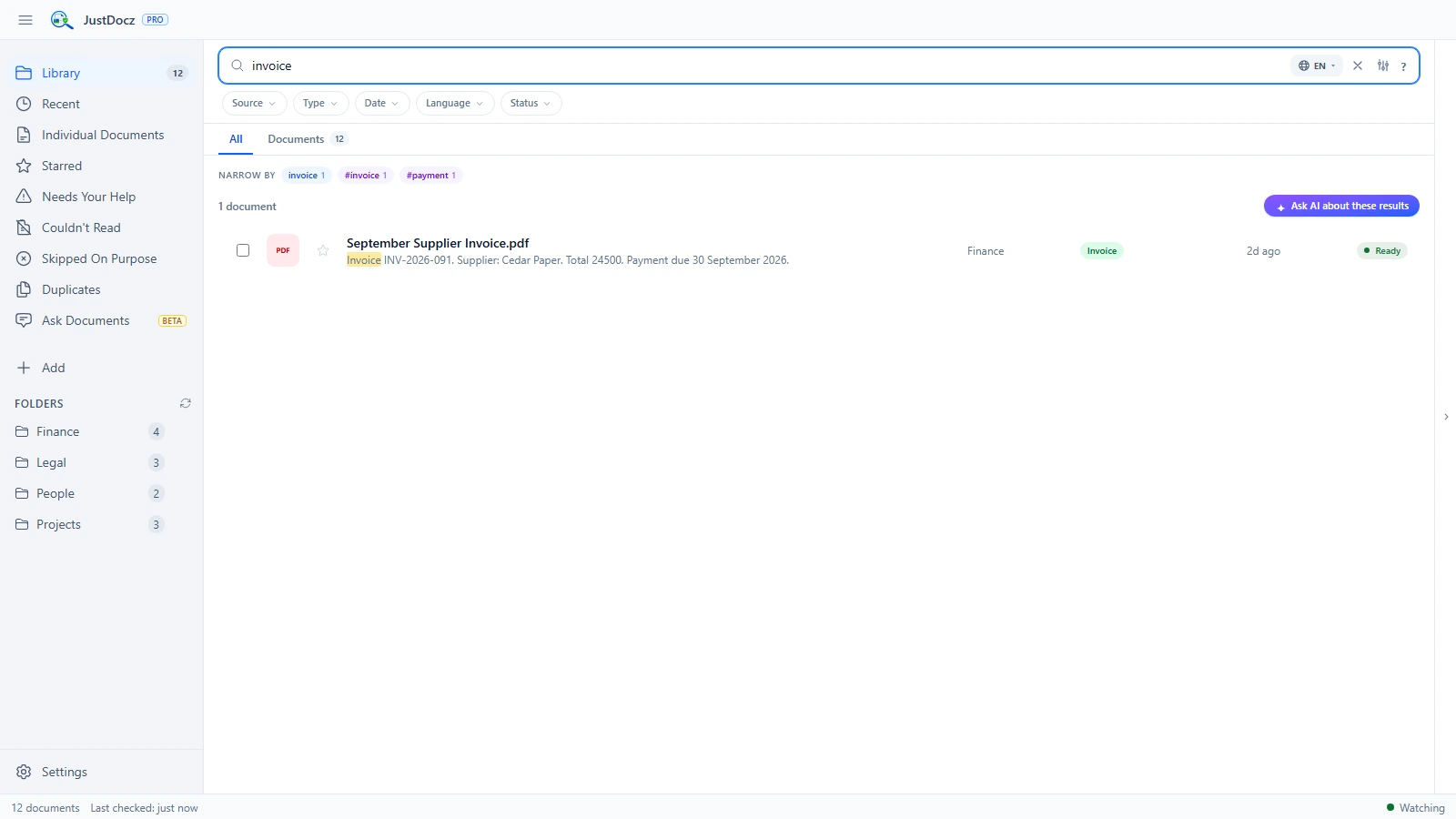
Search words and references inside supported PDFs, spreadsheets and other Office documents. Try the supplier name, invoice number or amount as it appears in the record.
OCR can make supported receipt images and scanned invoices searchable alongside digital documents.
Search supported email archives and attachments when the document you need arrived with a message rather than in a client folder.
FROM FOLDER TO FOUND
JustDocz helps retrieve documents. It does not reconcile accounts or validate financial figures. OCR can misread numbers, and formatting differences can affect matches; verify values in the original file.
Start with a manageable selection of invoices, statements and scanned receipts.
Scanned documents need text extraction before their contents can appear in search results.
Try a supplier or reference first. Check the original document before using any amount in your work.
GOOD TO KNOW
Yes. JustDocz supports content search in common spreadsheet and document formats, including XLS, XLSX and PDF. Results depend on what can be extracted from each file.
Supported JPG, JPEG and PNG images can be processed with OCR. Clear, well-lit images generally offer better source material than blurred or faded receipts. Test your own examples during the trial.
No. Core document indexing and search run on your Windows computer. Installation, licensing and optional resource downloads may connect to their respective providers.
TRY IT WITH YOUR OWN FILES
Try every Pro feature for 14 days. No credit card or JustDocz account required.