Search PDFs and image files together
Find extracted text from supported scanned PDFs, JPG, JPEG and PNG images alongside the contents of your digital documents.
JUSTDOCZ · SEARCH SCANNED PDFS
A scanned PDF can look like a document while containing only pictures of its pages. JustDocz uses OCR to extract text from supported scans and add it to your private search index.
14-day Pro trial · Windows · Your files stay local
THE EVERYDAY PROBLEM
Ordinary content search needs readable text. Older scanned agreements, photographed records and image-only PDFs may not contain any. OCR reads supported page images so the extracted words can participate in a search. Your original files stay in place; JustDocz builds a separate local index.
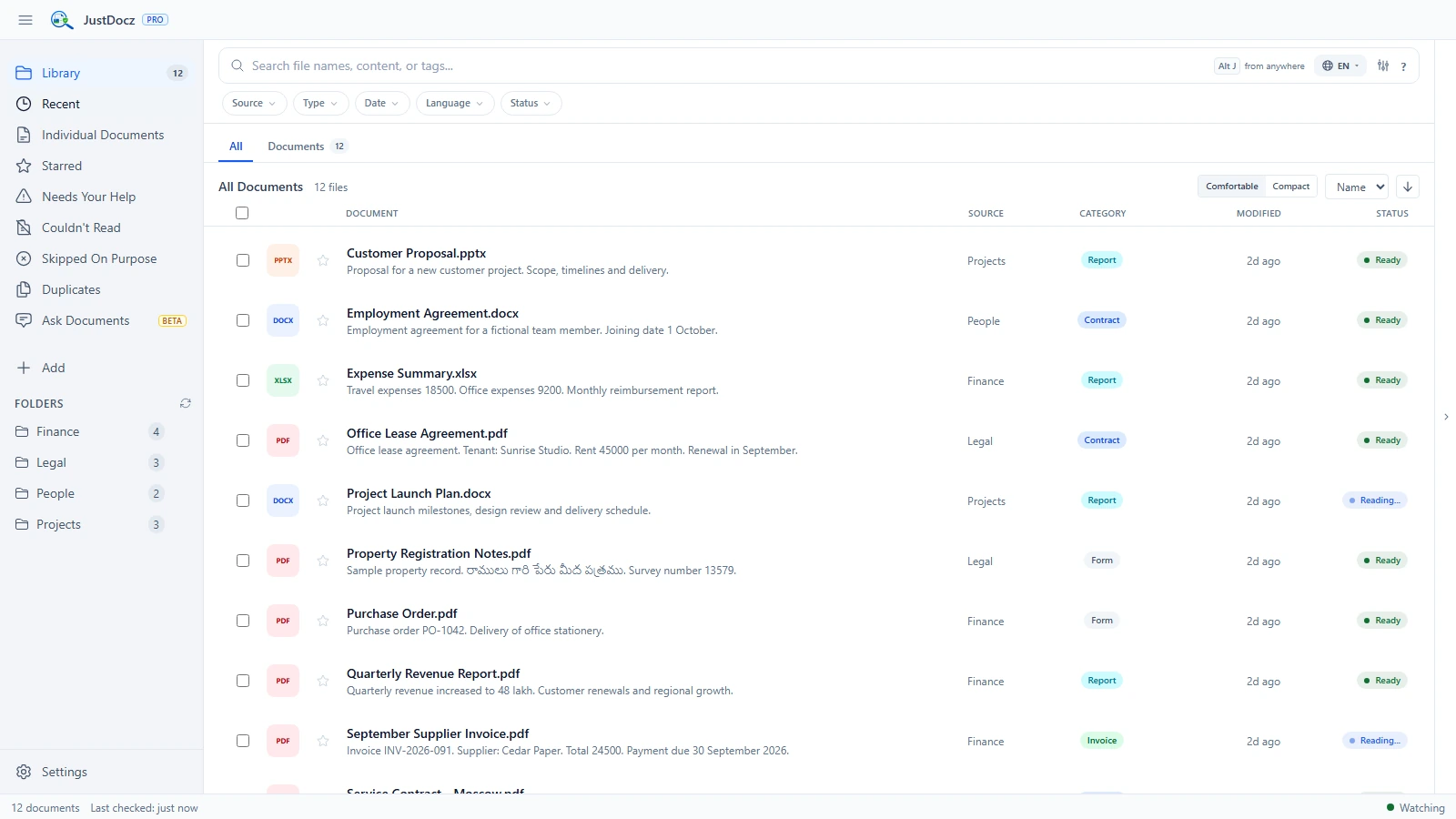
Find extracted text from supported scanned PDFs, JPG, JPEG and PNG images alongside the contents of your digital documents.
Download OCR language resources for the languages you need. Availability and recognition quality vary by language and document.
Your archive does not need to be uploaded to a cloud OCR service for JustDocz to index and search it.
FROM FOLDER TO FOUND
OCR is not perfect. Resolution, blur, page orientation, fonts and document condition affect recognition. Do not assume that every word, number or handwritten note will be recognized.
Choose a representative set, including the document types and languages you use most often.
Scans take longer to index than files that already contain extractable text. Download any required language resources.
Try text you can read in the original. Open the result and compare it with the source scan.
GOOD TO KNOW
Discovering a file is faster than reading its pages. JustDocz can show the filename while content extraction or OCR is still running. Wait for processing before evaluating scan search results.
No. OCR and content search work independently of the optional Ask Documents feature. You do not need to install a generative AI model to search scans.
You can test OCR and content search during the 14-day Pro trial. After the trial, the free version retains filename search on up to 1,000 files and 5 folders; continued OCR and content search require Pro.
TRY IT WITH YOUR OWN FILES
Try every Pro feature for 14 days. No credit card or JustDocz account required.